
Streaming Guides, Troubleshooting & Technology
Streaming should be straightforward. When a video keeps buffering, picture quality drops, or a device refuses to connect, finding the cause can be much harder than pressing play.
That’s what this streaming community exists for. StreamingCommunity provides practical information about streaming technology, internet connection, devices, video quality, and common playback problems. Our guides explain what is happening and give you sensible steps to check your setup.
Having Trouble With Streaming?
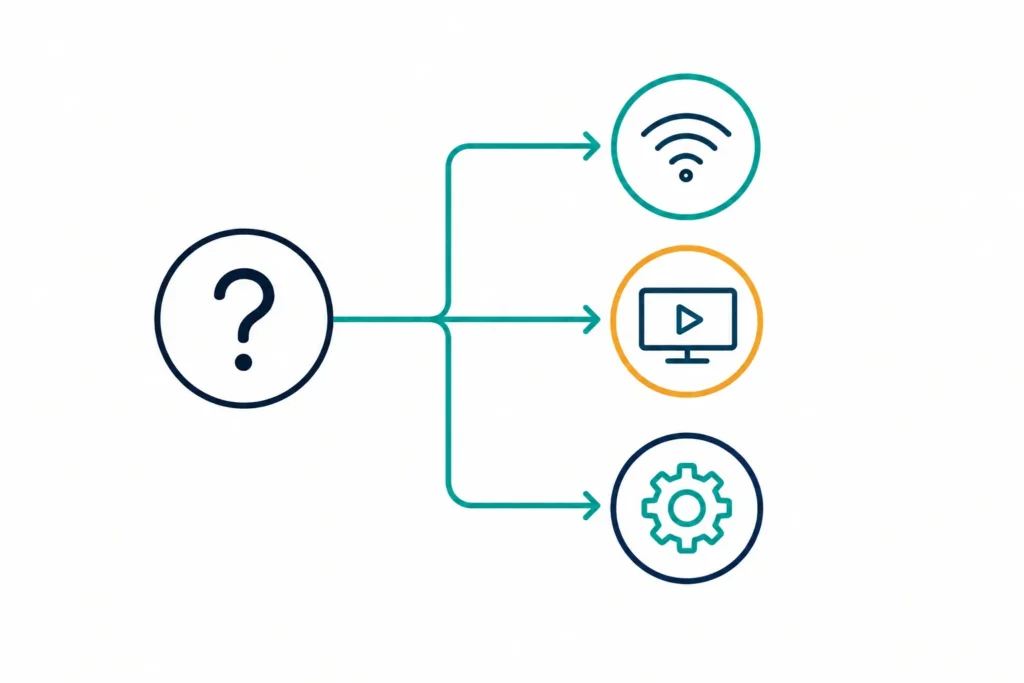
A streaming community can cover many different questions, from buffering and connection problems to device compatibility and video quality. The quickest way to find useful information is to narrow down where the problem is happening.
Streaming Keeps Buffering
Learn what causes repeated buffering and how to check your internet connection, Wi-Fi, device, and playback settings.
Streaming Quality Is Poor
Find out why a video may look blurry, switch quality levels, or take longer to reach its highest resolution.
Streaming Is Slow
Work through the connection and network checks that can help explain slow playback, long loading times, and inconsistent performance.
DNS Problems
Understand what DNS does, when DNS can affect connectivity, and which basic checks can help identify a DNS-related problem.
4K Streaming Problems
4K video requires suitable bandwidth, compatible hardware, and a stable connection. Learn what to check when high-resolution playback struggles.
Smart TV Streaming Problems
Find practical checks for connection errors, buffering, software issues, and playback problems on Smart TVs.
Learn how streaming works
Knowing what happens between pressing play and seeing a video on your screen makes troubleshooting much easier. Our beginner guides explain the technology without assuming that you already understand networking or video delivery.
What Is Streaming?
A beginner-friendly explanation of streaming, how it differs from downloading, and what happens when you watch video over the internet.
How Does Streaming Work?
Follow the path from a streaming service to your device and learn where bandwidth, buffering, latency, and video quality fit into the process.
What Internet Speed Do You Need for Streaming?
Understand why advertised connection speed is only part of the picture and how resolution, multiple devices, Wi-Fi, and network conditions can affect playback.
How Much Data Does Streaming Use?
Learn how video resolution and viewing time affect data consumption and what you can do when your internet plan has a data limit.
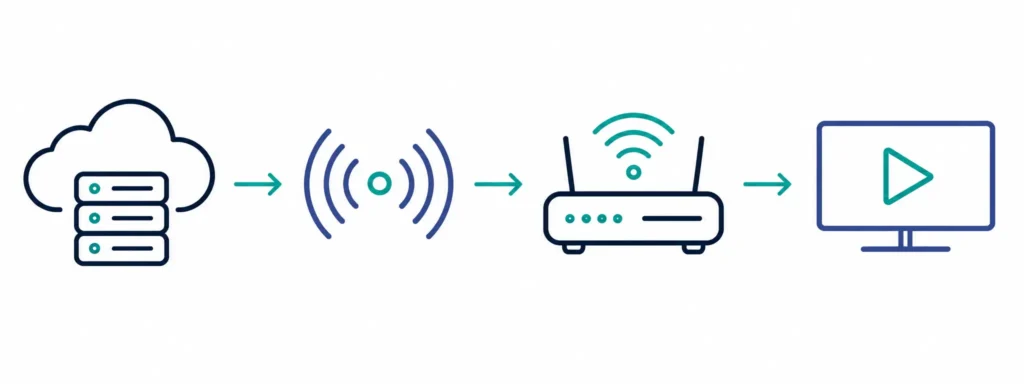
Streaming technology explained
Streaming involves several technologies that are easy to encounter but harder to understand at first. Our streaming community covers these topics in practical terms, explaining the technology and showing how it relates to everyday viewing.
4K Streaming
Understand 4K resolution, bandwidth requirements, compatible hardware, and the conditions needed for reliable high-resolution playback.
HDR Streaming
Learn what HDR changes in supported video and how HDR differs from standard dynamic range.
Adaptive Bitrate Streaming
Find out how streaming services adjust video quality when network conditions change.
DNS and Streaming
Understand the role of DNS in connecting your device to online services and what a DNS error can tell you about a connection problem.
Wi-Fi and Ethernet
Compare wireless and wired connections for streaming and understand when Ethernet can provide a more consistent connection.
Streaming Data Usage
See what affects data consumption and why higher video quality normally requires more data.
Streaming services and platforms
Streaming services can differ in supported devices, video quality, account features, applications, and technical requirements. Our service guides focus on the technology and practical questions that matter when using legitimate streaming platforms.
We may cover established streaming services when there is a useful technical question to explain, such as a device compatibility issue or an app setting.
See “Looking for a Free Streaming Community?” below for our full position on unauthorized access.
Streaming on PC, desktop and mobile devices
Streaming is no longer limited to a television. A computer, phone, tablet, or dedicated streaming device can all become part of the viewing setup.
Streaming on PC
Browser playback, hardware acceleration, DRM requirements, and app vs. browser viewing on Windows and Mac.
Streaming on Desktop
How display setup, audio output, and wired or wireless connections affect quality, including multi-monitor and TV output.
Streaming on iOS
Connection issues, video quality, application behaviour, and device settings on iPhone and iPad.
Streaming on Smart TVs
How network settings, software updates, device capabilities, and display configuration affect playback.
Comparing Your Devices
The practical differences between dedicated streaming devices, Smart TVs, computers, and mobile hardware.
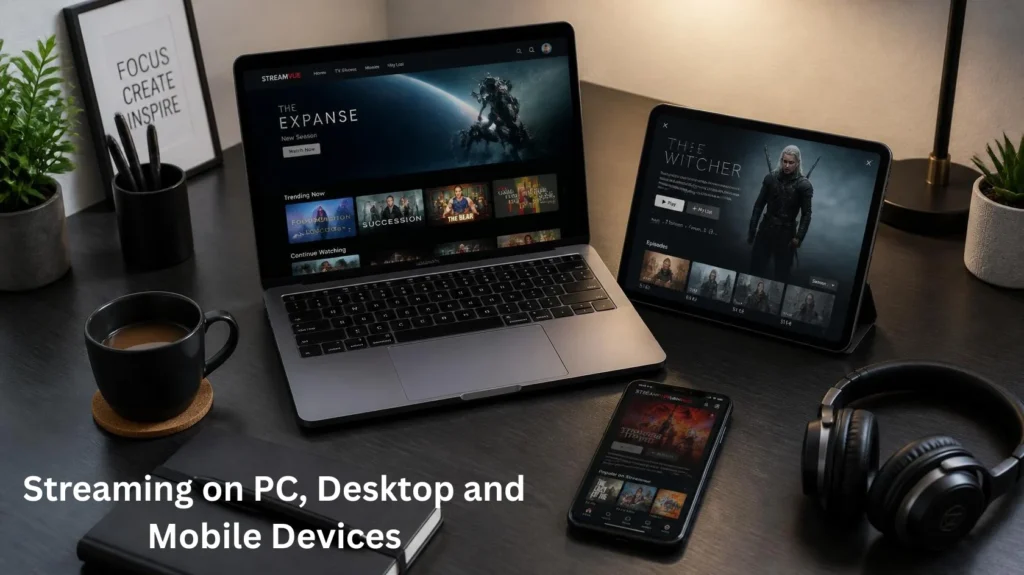
Looking for a free streaming community?
StreamingCommunity provides free access to its editorial guides and technology information.
There is an important difference between a free information website and free access to copyrighted movies or television programes. We do not provide unauthorized streams, pirated downloads, or links intended to bypass legitimate access.
Our focus is the technology behind streaming and the problems viewers encounter while using legitimate services.
Streaming apps, software and latest versions
Applications and streaming software change over time. A problem that appears after an update may have a different cause from one affecting an older release.
Our guides can help you understand how to check the version installed on your device, when an application update may matter, how browser updates can affect playback, how device software relates to streaming performance, when reinstalling an application is worth trying, and where to find official software information.
When you are looking for the latest version of an application or service, the safest approach is to check the official source for that particular software, operating system, or device.
We will identify a relevant version when an article depends on a specific release. We will not publish a version number simply to capture a search query.
Streaming device guides
Our device is one part of the complete playback system. Our streaming community covers the practical side of using Smart TVs, streaming sticks, computers, phones, and other connected hardware, including the software, network, and display factors that can affect playback.
Smart TVs
Connection, buffering, applications, software updates, picture quality, and network settings.
Streaming Sticks
Setup, Wi-Fi performance, application issues, video quality, and device limitations.
Streaming Boxes
Connection options, display capabilities, software, and performance.
PCs and Laptops
Browsers, operating systems, displays, network connections, and playback settings.
Phones and Tablets
Mobile connections, Wi-Fi, applications, screen resolution, and battery-related settings.
Compare your streaming setup
There is no single setup that works best for everyone. The right choice depends on your connection, equipment, display, viewing habits, and the features you actually need.
Wi-Fi vs Ethernet for Streaming
Understand the practical differences between wireless and wired connections and when each option makes sense.
4K vs 1080p Streaming
Compare resolution, bandwidth requirements, display capabilities, and the situations where higher resolution makes a noticeable difference.
HDR vs SDR Streaming
Learn how HDR and SDR differ and what your display and content need to support each format.
Smart TV vs Streaming Device
Compare built-in Smart TV platforms with dedicated streaming hardware.
Streaming Stick vs Streaming Box
Understand the differences in hardware, connections, performance, and features.
When streaming does not work as expected
Some problems are easy to identify. Others require a few checks before you know where the fault lies. Our troubleshooting guides help you work through the possibilities in a sensible order.
Buffering
Find possible causes and work through practical checks.
Connection Errors
Check your network, device, and service connection.
Video Quality
Understand why resolution or picture quality may change.
DNS Errors
Learn what DNS problems mean and what you can check.
Playback Problems
Work through common software and device issues.
Smart TV Issues
Find device-specific troubleshooting information.
Find what you need
Latest from StreamingCommunity
New articles are added as we research useful questions about streaming technology and connected devices.
How we create our guides
Streaming technology changes. Devices receive software updates, services change their applications, and networking equipment behaves differently from one home to another.
StreamingCommunity focuses on practical explanations that readers can follow. As an independent streaming community, we aim to explain technical problems clearly and give readers useful information they can apply to their own setup.
Articles are written and maintained by Leo, our author and editor. Technical information is reviewed when relevant details change, and readers can contact us when they find an error or outdated information.
We distinguish between technical facts, troubleshooting suggestions, and comparisons so that readers can understand what they are reading and decide which information applies to their setup.
Independent streaming information
StreamingCommunity is an independent website. We cover streaming technology, troubleshooting, devices, connectivity, and video quality on our own terms, not on behalf of any service or manufacturer.
We may mention streaming platforms, device manufacturers, operating systems, browsers, internet providers, and other companies when they are relevant to an article. Those references do not imply sponsorship, endorsement, or affiliation. We do not accept payment to cover a product favorably.
Whether you are looking for help with buffering, trying to understand a piece of technology, or choosing between two devices, the streaming community provides practical information to help you get started.
Streaming Devices
Get practical information about TVs, computers, phones, and streaming hardware.
About StreamingCommunity
We started StreamingCommunity because most streaming advice online is either outdated or written by people trying to sell you something. Our goal is to explain technical problems clearly enough that you can fix them yourself, and to be honest when a problem is out of your hands, like a service-side outage or an app bug still waiting on a fix.
We would rather publish fewer, more useful guides than chase every possible search term.